ProfitricsProfit, COGS and expense tracker for WooCommerce
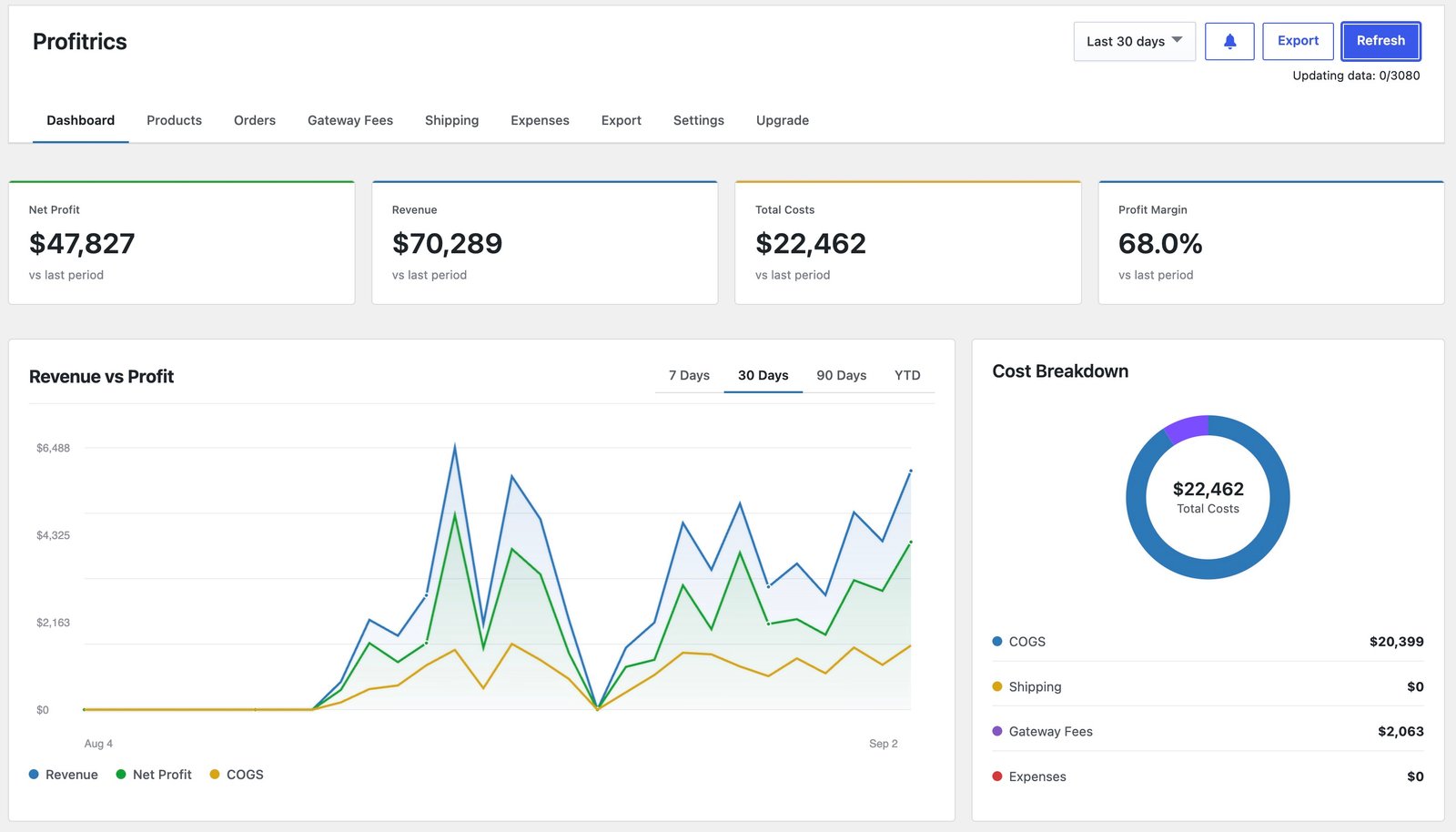
Revenue tells you what came in. It doesn't tell you what you kept. Profitrics subtracts product cost, payment gateway fees, shipping and your operating expenses, so every order, product and date range shows a real net profit and margin.
How it looks in your store
Revenue and profit, last 12 weeks
Where the costs went
COGS is 68.9% of total cost.
Why WooCommerce stores need profit tracking, not just sales reports
WooCommerce Analytics shows gross sales, net sales and order counts. Net sales there means sales after refunds and coupons. It doesn't subtract what you paid for the product, the carrier, the payment gateway or the tools that keep the store running.
That gap is where margins disappear. A best-selling product can lose money once shipping and fees are counted, and a discount that looks like growth can cost more than it earns. Profitrics closes the gap by calculating net profit for every order, product and date range inside your WordPress dashboard.
Costs are saved to WooCommerce's native Cost of Goods Sold field, so your data stays in WooCommerce. Order profit snapshots are cached in a plugin table to keep reports fast on large stores, and nothing is sent to an outside service.
Real net profit
Revenue minus product cost, shipping, gateway fees and expenses, on every order.
Margin alerts
Warnings when products or orders fall below your margin threshold, including negative margins.
No lock-in
Costs live in WooCommerce's own field and stay there if you remove the plugin.
How Profitrics works
Set up in a few minutes from your WordPress dashboard.
Read the full setup guideProfitrics features
See what you actually kept
- Dashboard with revenue, total cost, net profit and margin
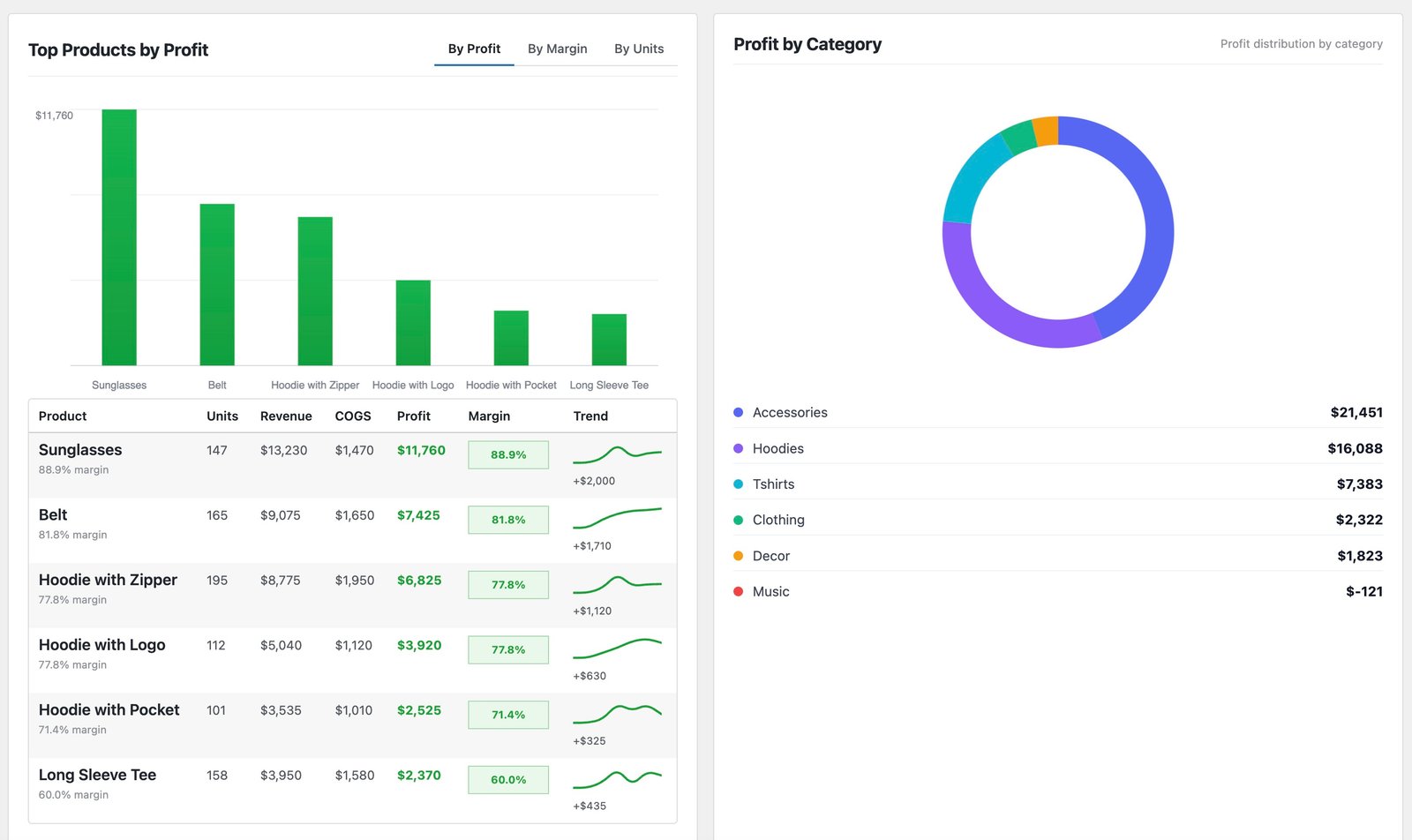
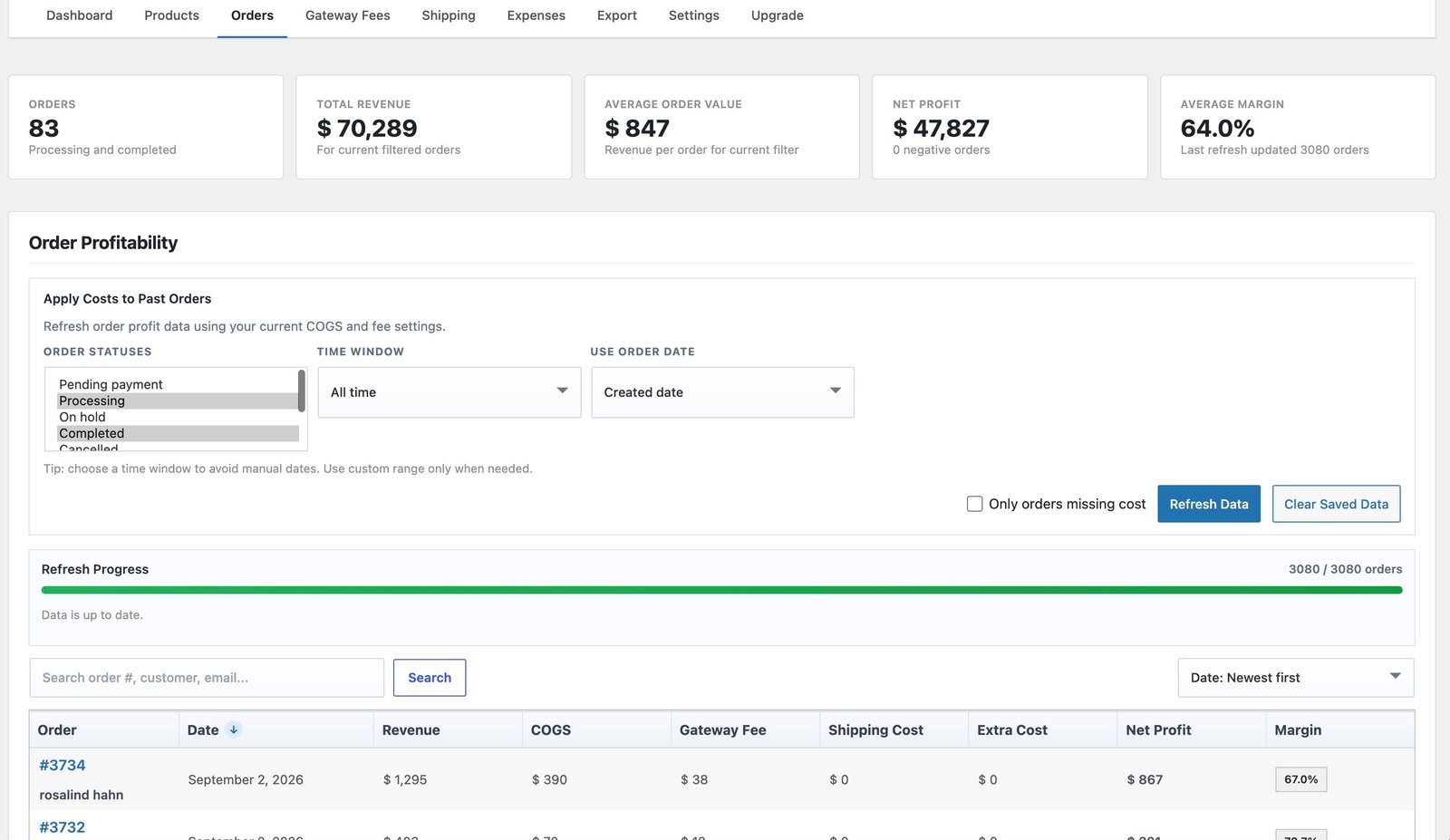
- Order-level profit you can filter and sort
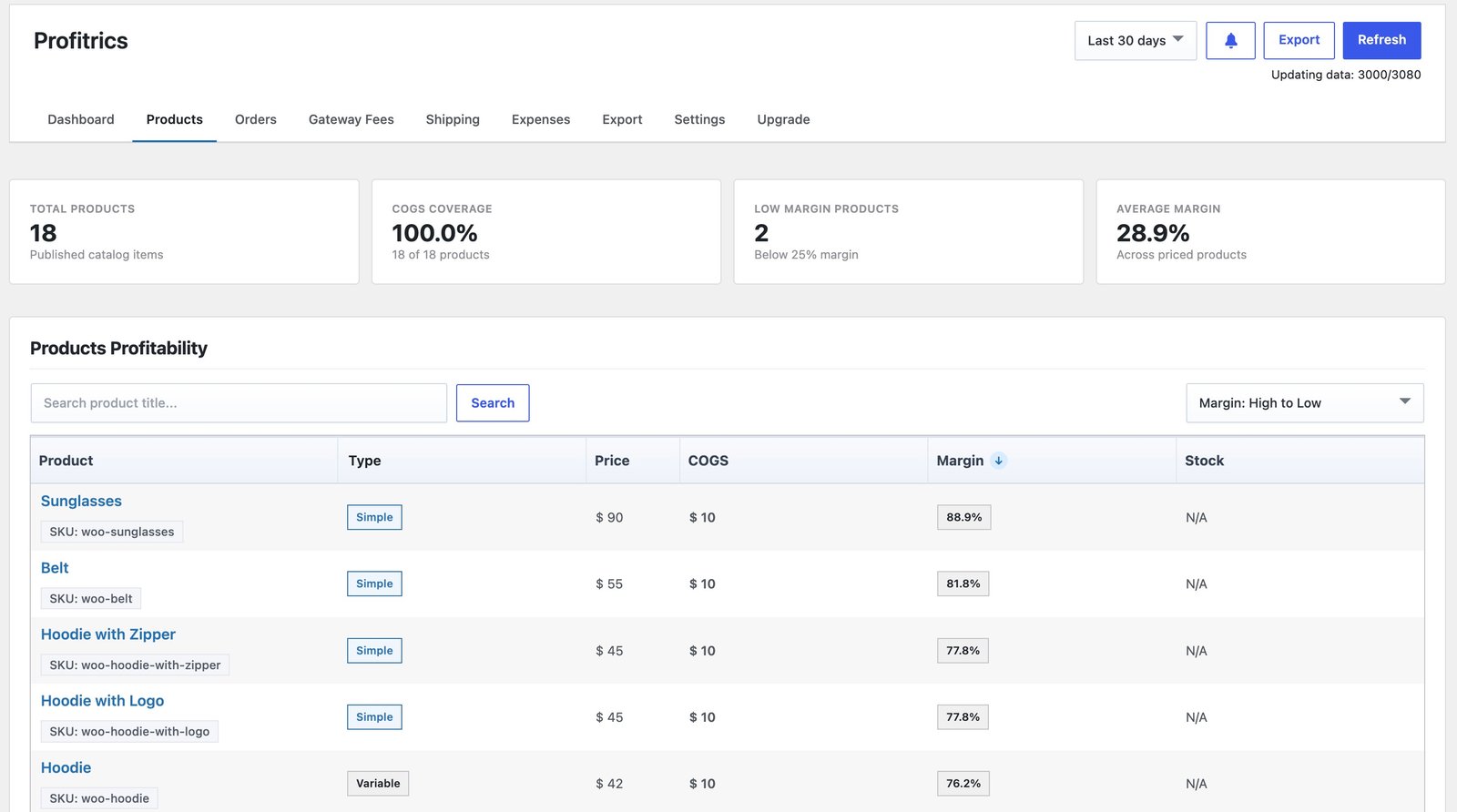
- Product profitability table with CSV export
- Your full order history, with no date cap
Account for every cost
- COGS per product and variation, saved to WooCommerce's native field
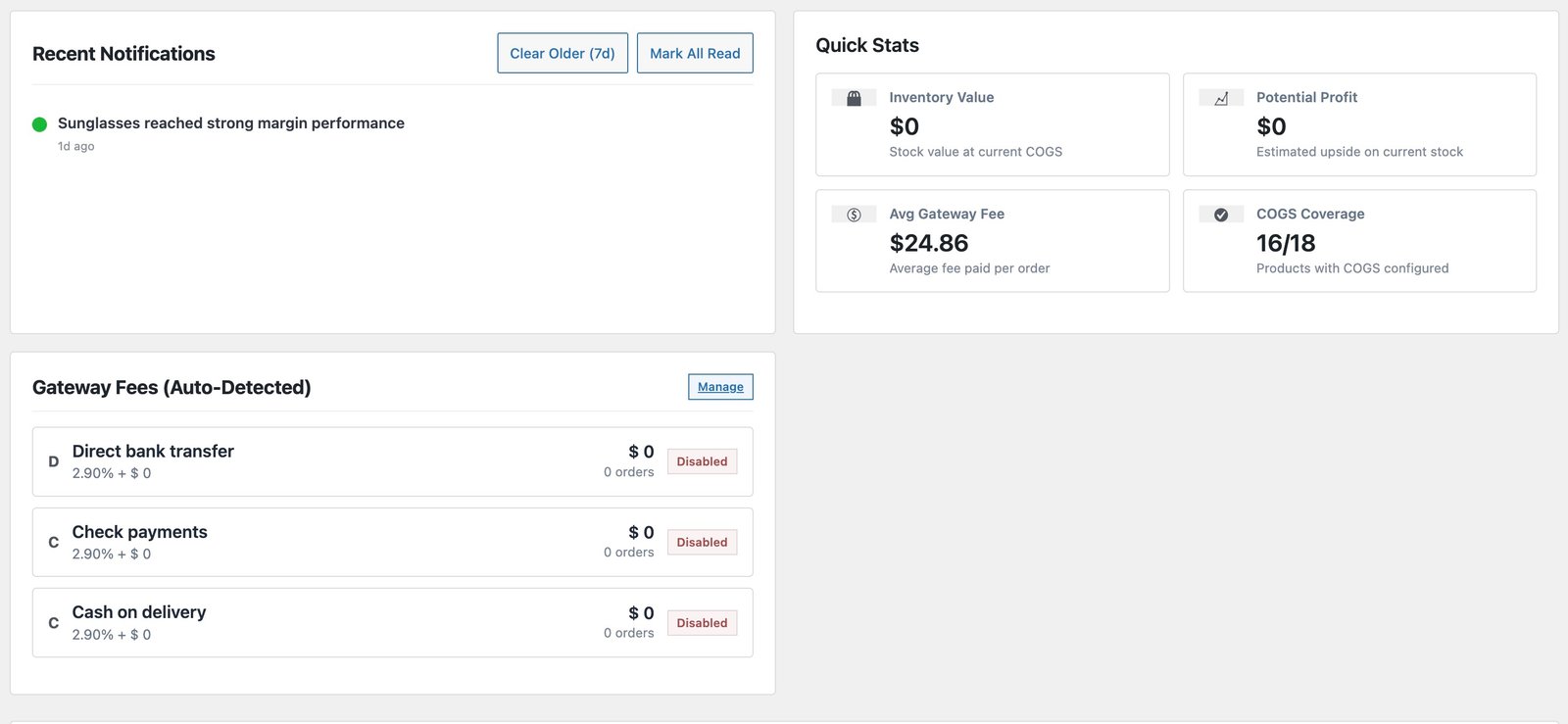
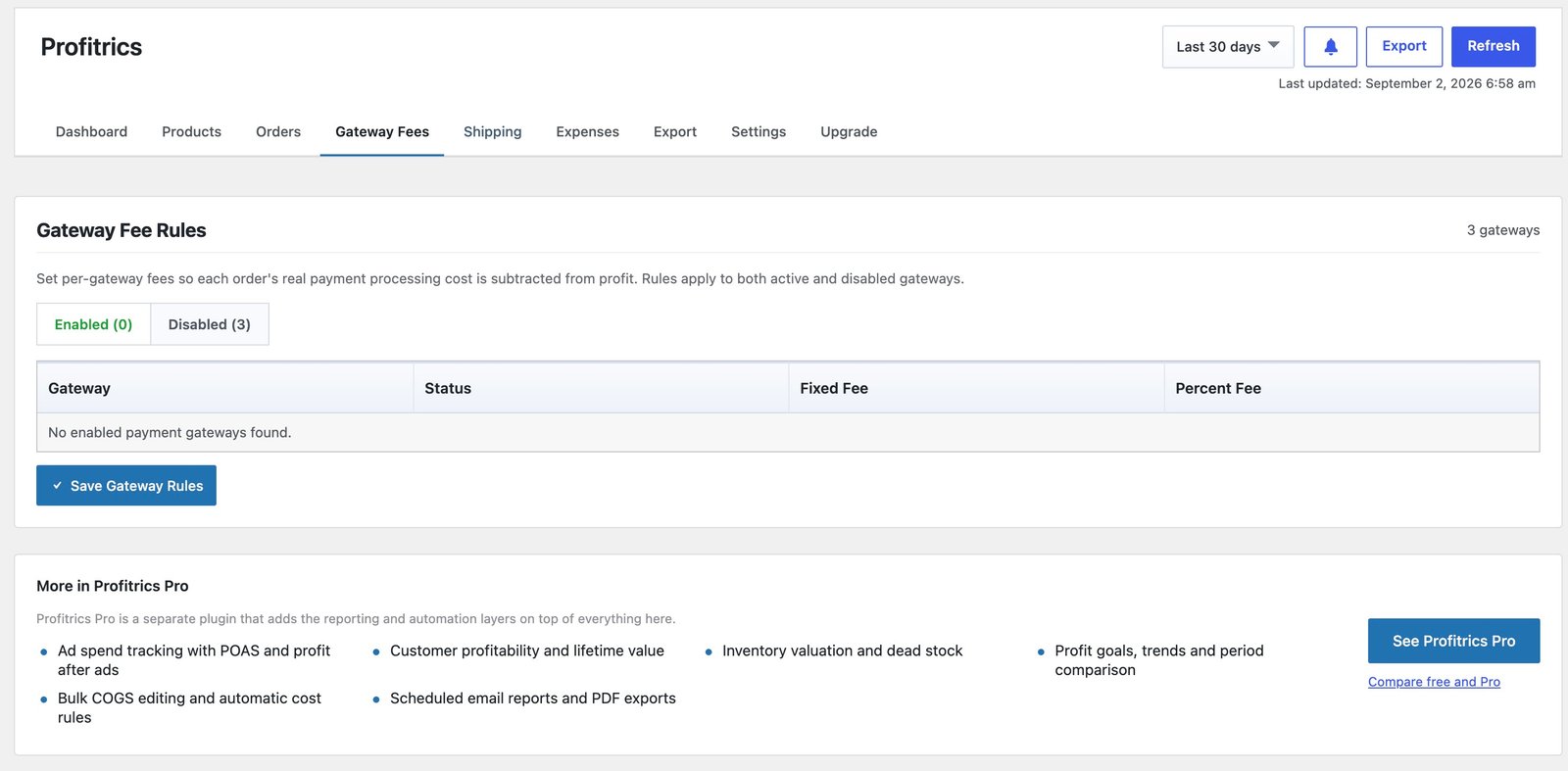
- Gateway fee rules, fixed plus percentage, unlimited
- Shipping cost rules by method, class and currency
- Business expenses, one-off or recurring
Catch problems early
- Margin alerts and negative-margin warnings
- In-dashboard notifications
- Apply current costs back over past orders
Pro adds
- Ad spend by channel and profit after ads (POAS)
- Customer profitability and lifetime value
- Inventory valuation, dead stock and margin at risk
- Profit goals with period and year comparisons
Profitrics free vs Pro
The free version is complete on its own. Pro adds automation and deeper features on top.
| Feature | Free | Pro |
|---|---|---|
| Profit dashboard and margin | ||
| Order and product profitability | ||
| COGS per product and variation | ||
| Gateway fee and shipping cost rules | ||
| One-off and recurring expenses | ||
| Margin alerts | ||
| Ad spend and POAS | ||
| Customer profitability and lifetime value | ||
| Inventory valuation | ||
| Profit goals and trends | ||
| Bulk COGS editing, CSV import and cost rules | ||
| Scheduled email reports | ||
| REST API and signed webhooks | ||
| CSV and PDF export everywhere |
Who uses Profitrics
Pricing decisions
See which products fall below your margin threshold before you reorder stock.
Free shipping thresholds
Check what shipping really costs per order before setting a free shipping minimum.
Discount planning
Compare margins during a sale with normal weeks, so promotions pay for themselves.
Agency client reviews
Show clients real store performance, not just gross sales.
Requirements and compatibility
| Requires | WordPress 6.5 or higher, with WooCommerce active |
|---|---|
| Tested up to | WordPress 7.1 |
| PHP | 7.4 or higher |
| Order storage | HPOS compatible |
| Cost data | Saved to WooCommerce's native COGS field |
| External requests | None. Every calculation runs on your server |
| Editions | Free on WordPress.org. Pro from Camerce and the WooCommerce Marketplace |
Screenshots
Changelog
- Renamed to Profitrics. The plugin's features, settings and data are unchanged - only the name has changed.
- First release on WordPress.org
- Version numbers kept in step with Pro
- Profit dashboard, product COGS and order-level margin snapshots
- Gateway fee and shipping cost defaults
- One-off and recurring expense tracking
- Product profitability CSV export
Profitrics questions
Where is my cost data stored?
Product costs are written to WooCommerce's native Cost of Goods Sold field. Order profit snapshots are cached in a plugin table so reports stay fast on large stores.
What happens when I upgrade to Pro?
Nothing needs migrating. Pro reads the same data, and the free version switches itself off so both never run at once.
Can I set COGS in bulk?
Bulk editing, CSV import and export, and price-based cost rules are in Pro. The free version sets cost per product and per variation.
Does it send my data anywhere?
No. Profitrics makes no external requests. Every calculation happens on your own server.
If I remove the plugin, do I lose my costs?
No. Costs live in WooCommerce's own field, so they stay on your products.
Does Profitrics track ad spend?
Ad spend by channel and profit after ads (POAS) are part of Profitrics Pro. The free version tracks one-off and recurring expenses.
Can I apply costs to older orders?
Yes. Order profitability includes applying your current costs and fees back over past orders.
Which order statuses count toward profit?
You choose them in Settings, along with currency and rounding.
Support and guides
Pro license holders
Open a ticket from your account and reach the developer who wrote the code.
Open a ticket